
Overview
Travel photos hold some of our best memories. Whether it’s a sunset by the beach, a street full of culture, or a quiet mountain view, every picture tells a story. But not every photo comes out perfect. Lighting can be off, colors may look dull, or the scene may not match what you saw in real life.
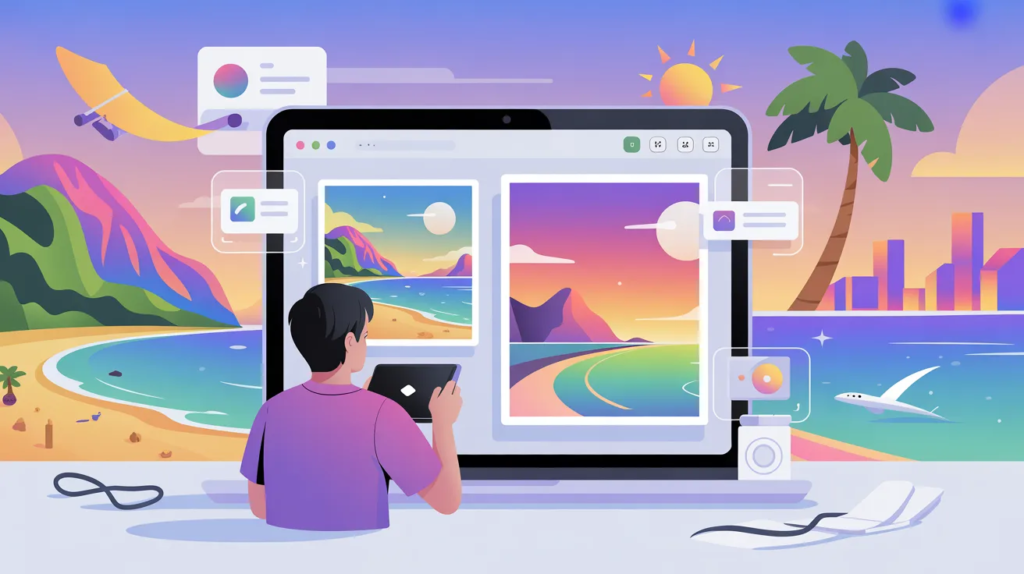
That’s where image to image AI tools are changing the game. Instead of spending hours editing photos manually, you can now transform your pictures with just a few prompts. These tools help you enhance colors, adjust lighting, change styles, and even reimagine your photos in creative ways.
For travel creators, bloggers, and even casual users, this means better visuals without needing advanced editing skills. You can make your vacation photos look polished, eye-catching, and ready for social media or professional use.
In this blog, we’ll explore some of the best image to image generators that can help you edit your vacation pictures like a pro in 2026.
1. Invideo
Invideo offers a powerful way to turn your travel photos into visually rich content without spending hours editing. It is built for creators and businesses who want fast results while keeping quality high.
With its image to image generator, you can upload a simple travel photo and transform it into something much more polished. Whether you want to enhance colors, adjust the mood, or give your photo a cinematic feel, the tool makes it easy to achieve. What makes it stand out is how well it blends creativity with control. You can guide the output with prompts, which means you’re not just editing but shaping the final look of your image. This is especially useful for travel creators who want their photos to match a certain style or theme across their content.
It also works well for turning travel images into content for marketing, social media, or storytelling. If you want your vacation photos to look consistent and professional without complex editing steps, this is a strong option to start with.
2. Runway ML
Runway ML is known for its creative AI tools, and its image-to-image capabilities are especially useful for travel editing. It allows you to transform photos into different styles while keeping the core details intact.
For example, you can turn a regular beach photo into something that looks more cinematic or artistic. This makes it a great tool for creators who want to experiment with different visual styles.
It is also popular among designers and content creators because of its flexibility. You can try different looks quickly and choose the one that fits your content best.
3. Leonardo AI
Leonardo AI is a great option for those who want more control over how their travel photos look after editing. It is often used for creating high-quality visuals with a strong artistic touch.
You can upload your vacation pictures and refine them with prompts to improve lighting, textures, and overall feel. It works especially well for landscape photos and scenic shots.
If you enjoy experimenting with different styles and want your travel photos to stand out, Leonardo AI gives you a lot of creative freedom.
4. Playground AI
Playground AI is a beginner-friendly tool that makes image editing simple and fun. It is designed for users who want quick results without a steep learning curve.
You can upload your travel photos and apply different visual changes, such as improving lighting or changing the atmosphere of the scene. It is great for social media creators who need fast edits.
The platform keeps things simple while still offering good results, making it a solid choice for casual users and beginners.
5. Adobe Firefly
Adobe Firefly brings AI-powered editing into a more professional space. It is designed for users who want high-quality results and more control over their edits.
With its image-to-image features, you can enhance travel photos by adjusting colors, lighting, and overall composition. It works well for both simple edits and more advanced creative changes.
It is especially useful for professionals who already work with Adobe tools and want to add AI into their workflow.
6. Fotor AI
Fotor AI is a well-known tool for quick photo editing, and its AI features make it even more useful for travel photos. It helps improve images with just a few clicks.
You can enhance colors, sharpen details, and adjust lighting without needing any editing experience. This makes it ideal for travelers who want quick improvements before posting their photos.
It may not offer deep customization like some other tools, but it covers the basics very well.
7. Canva AI Image Tools
Canva has expanded into AI-powered image editing, making it easier for users to enhance their visuals. Its image-to-image features help improve photos while keeping the process simple.
You can adjust the mood of your travel images, add creative effects, and prepare them for social media or presentations. It is especially useful for people who already use Canva for design.
The platform focuses on ease of use, which makes it a good choice for beginners and small businesses.
8. NightCafe Studio
NightCafe Studio is known for its artistic approach to AI image generation. It allows you to transform travel photos into creative and unique styles.
You can turn a normal travel image into something that looks like a painting or digital artwork. This is great for users who want to create visually different content.
It is not just about editing but about reimagining your photos in a new way.
9. DeepAI Image Editor
DeepAI offers simple AI tools that help improve images quickly. Its image-to-image editing features are easy to use and suitable for basic enhancements.
You can upload a travel photo and adjust its look without needing advanced skills. It is a good option for users who want fast edits without too many settings.
While it may not be as advanced as other tools, it is reliable for simple improvements.
10. Pixlr AI
Pixlr AI combines traditional editing tools with AI features, making it a versatile option for travel photo editing. It allows you to enhance images while still having manual control.
You can adjust brightness, contrast, and colors while also using AI to improve overall quality. This balance makes it useful for users who want both automation and control.
It works well for quick edits as well as more detailed adjustments.
How to Choose the Right Tool for Travel Photo Editing
Choosing the right image to image generator depends on how you plan to use your photos. If you want quick edits for social media, simple tools with fast results will work best.
If you are creating content for a blog, brand, or business, you may want tools that offer more control and creative flexibility. This helps you maintain a consistent look across your content.
You should also consider how easy the tool is to use. A good tool should save time, not add complexity.
Why Image to Image AI is a Game Changer for Travel Content
Travel content is all about visuals. The better your photos look, the more attention they get. With AI, you no longer need to be an expert editor to create high-quality images.
These tools help you bring your vision to life, whether it’s making colors pop, adjusting lighting, or creating a unique style. They also allow you to experiment with different looks without starting from scratch.
For businesses, this means better marketing visuals. For creators, it means more engaging content. And for everyday users, it means better memories captured in a more beautiful way.
Final Thoughts
Image to image generators are making travel photo editing faster and more creative than ever before. They give you the power to transform simple photos into something that feels polished and professional.
As these tools continue to improve, they will become an essential part of content creation for travel, social media, and marketing. Whether you are a creator, a business, or just someone who loves capturing moments, using AI can help you get more out of your photos.
Trying out different tools and styles can help you find what works best for your needs. With the right approach, you can turn every vacation photo into something worth sharing.